What is Antimalware Service Executable & How to Fix High CPU Usage Issue by it?

What is Antimalware Service Executable & How to Fix High CPU Usage Issue by it?

Windows 10 has got some major updates after the previous version of Windows. With the introduction of Windows Defender Antivirus System (WDAS), the operating system has become safer than before. This was initiated in Windows to protect the system from virus, malware, ransomware and what not. The Antimalware Service Executable (ASE) that you have noticed … Read more

How to Turn On YouTube Dark Mode on Website, iOS & Android App?

How to Turn On YouTube Dark Mode?

Are you a fan of white screened background that blast into your eyes? Well, you are probably not. Majority of us love the black themed applications and web interfaces. They are pretty classy to glance at and interesting to use as well. When a hell lot of apps were moving into an option for dark … Read more

How to Quickly Fix “ERR INTERNET DISCONNECTED” Error in Google Chrome?

ERR_INTERNET_DISCONNECTED Error

ERR_INTERNET_DISCONNECTED How to Quickly Solve “ERR INTERNET DISCONNECTED” Error in Google Chrome? – So you are facing this common error in your internet browser frequently. Well, not an issue after you finish up following what’s given here. ERR_INTERNET_DISCONNECTED is one of the errors which occurs due to misconfiguration of Internet Network or Connection. It is similar … Read more

How to Check if an iPhone is Unlocked or Locked? – [4 Methods]

How to check if an iPhone is unlocked?

They say, “If you don’t have an iPhone then you don’t have an iPhone”. Well, having an iPhone isn’t a big thing anymore. But unlocking the iPhone is still considered as an astonishing thing. The iPhone that you buy either from an online store or any authorized dealer, it is locked by default. The locked … Read more

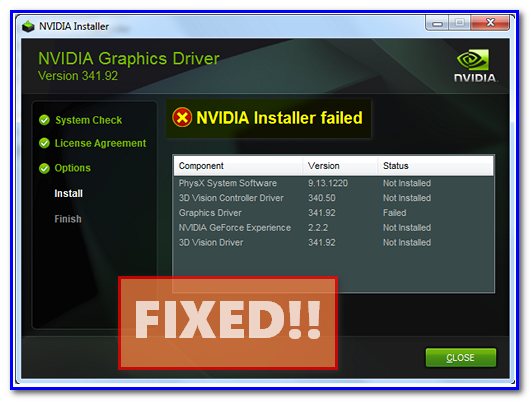
How to Fix “NVIDIA Installer Failed” Error in Windows 10, 8 or 7?

NVIDIA Installer Failed Fix

NVIDIA is one of the most beloved brands for manufacturing some crazy graphics cards. Majority of the users prefer NVIDIA over any other brands over there. The Graphic Card drivers are significant for using them potentially. And we all know that Windows is the most preferred OS in the world of gaming. The developers have … Read more

How to Disable or Turn Off Windows Defender in Windows 10?

How to Disable Windows Defender in Windows 10?

Disable Windows Defender Windows Defender is a Pre-installed anti-malware software that helps protect your computer from virus, malware, spyware, adware, phishing, ransomware and many other threats to your computer. It is an application that Microsoft provides in every version of Window. Despite it an antivirus it gets automatically disabled when it detects that there is any … Read more

How to Temporarily Disable or Turn Off Avast Antivirus?

How to Disable Avast Antivirus Temporarily?

Temporarily Disable Avast Antivirus Well, it happens most of the times that when you are installing any third party application, your antivirus interrupts and stops the installation and sometimes it even deletes some of the files which irritates us a lot. Antivirus or Firewall may also alert you or stops you from visiting any particular … Read more

How to Fix Printer Offline Status & Bring it Online in Windows 10, 8 and 7?

How to Fix Printer Offline Problem in Windows 10?

Fix Printer Offline You want to print any documents or photos for your project or any presentation but after all the hard work when you click on print the print doesn’t come out and the only thing that you got is a popup saying that your printer is offline. So this will definitely annoy you … Read more

How to Fix “DNS Server Not Responding” Error in Windows 10, 8 or 7?

DNS Server Not Responding Error Fixes

DNS (Domain Name Servers) server not responding is one of the most common errors in Windows Operating Systems. It arises due to various reasons and irritates you as you will not be able to visit any website. Windows Troubleshooter fails to resolve this connectivity issue. It occurs due to Firewall issues, DNS settings, IP address … Read more

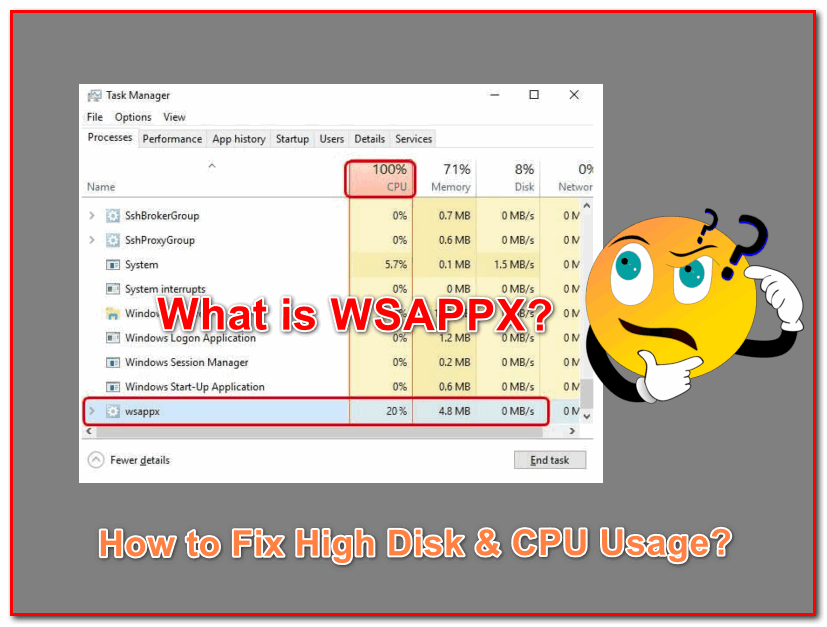
What is WSAPPX & How to Fix High Disk & CPU Usage by it in Windows 10?

What is WSAPPX?

  What is WSAPPX? WSAPPX is an important background process in Windows 8 and Windows 10 Operating Systems. Microsoft Universal App platform and Windows Store relies on WSAPPX. The main job of WSAPPX is to operate, install, uninstall or delete the Store apps. It communicates with the Store to keep the Windows apps updated. However, … Read more